Understanding Network Devices
When we open a website, send a message, or watch a video, a lot of things happen behind the scenes.
But have you ever wondered:
How does the internet actually reach your home?
How does your request reach the correct server?
How does a company handle lakhs of users at the same time?
To understand this, we need to understand some basic network devices.
How Internet Reaches Your Home or Office
Internet → Modem → Router → Switch → Devices
That’s the basic journey.
Let’s break it down step by step.
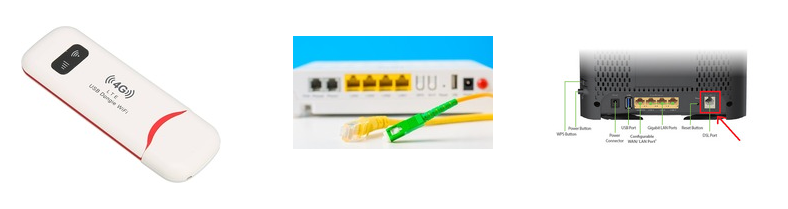
What is a Modem?
Simple Definition:
A modem connects your network to the internet.
What it actually does:
Your Internet Service Provider (ISP) sends signals through fiber, cable, or telephone lines.
But your devices understand digital signals.
A modem:
Converts ISP signal → digital data
Converts digital data → ISP signal
This process is called: Modulation and Demodulation, That’s why it’s called Modem.
Real-Life Analogy:
Think of a modem as a translator between your home and your internet company.
Without a modem, you cannot talk to the internet.
What is a Router?

Simple Definition:
A router directs traffic between networks.
If modem connects you to the internet,
Router decides where the data should go.
What router does:
Assigns local IP addresses (like 192.168.x.x)
Connects multiple devices (mobile, laptop, TV)
Sends outgoing requests to the internet
Brings back responses to correct device
Real-Life Analogy:
Router is like a traffic police officer at a junction.
It checks:
Where the data came from
Where it needs to go
Router vs Modem (Clear Difference)
| Modem | Router |
| Connects to ISP | Connects devices |
| Converts signals | Directs traffic |
| Only 1 internet connection | Multiple devices |
Many modern devices combine both (modem + router in one box).
Switch vs Hub — How Local Networks Work
Now let’s talk about internal communication.
📡 What is a Hub?
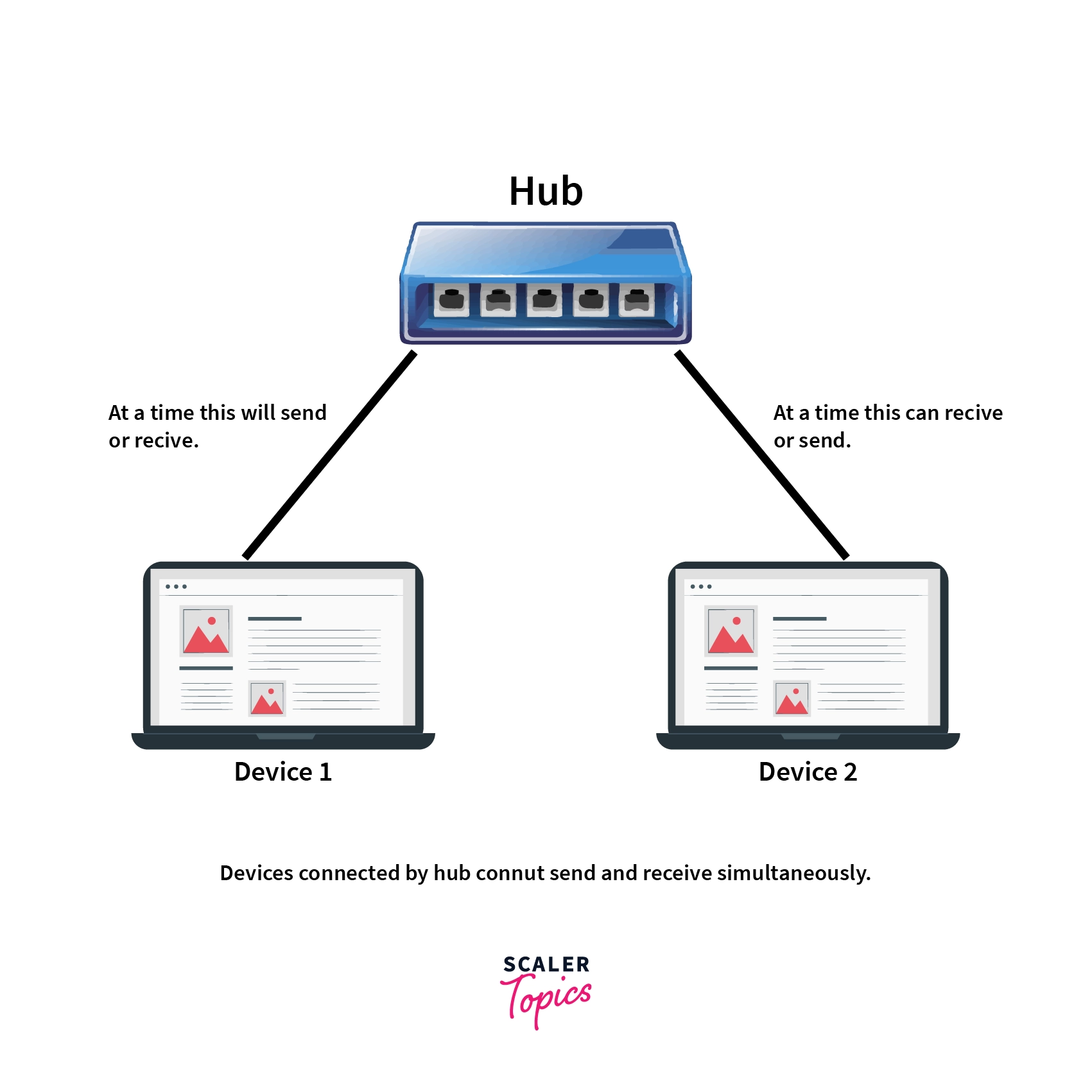
A hub is a very simple device.
When one device sends data:
- Hub sends it to ALL devices.
It does not check destination.
Analogy:
Hub is like shouting in a room:
Everyone hears it, even if it’s not for them.
This creates:
Unnecessary traffic
Security issues
Slow network
What is a Switch?

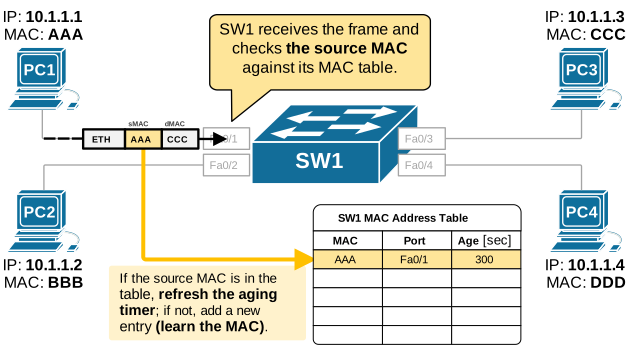
A switch is smarter than a hub.
When device A sends data to device B:
👉 Switch sends it only to B.
It uses something called:
MAC address table
Analogy:
Switch is like a smart courier service.
It delivers the package only to the correct house.
Hub vs Switch
| Hub | Switch |
| Broadcasts to all | Sends to specific device |
| Slower | Faster |
| Less secure | More secure |
| Old technology | Modern standard |
In real networks today, we use switches, not hubs.
What is a Firewall?
A firewall protects your network from unwanted traffic.
It sits between:
Internet ↔ Internal Network

What it does:
Blocks suspicious requests
Allows trusted traffic
Filters based on rules (IP, port, protocol)
Analogy:
Firewall is like a security guard at the gate.
It checks:
Who is entering?
Is this person allowed?
Should we block them?
For companies, firewall is critical for:
Data protection
Preventing attacks
Compliance
5️⃣ What is a Load Balancer?
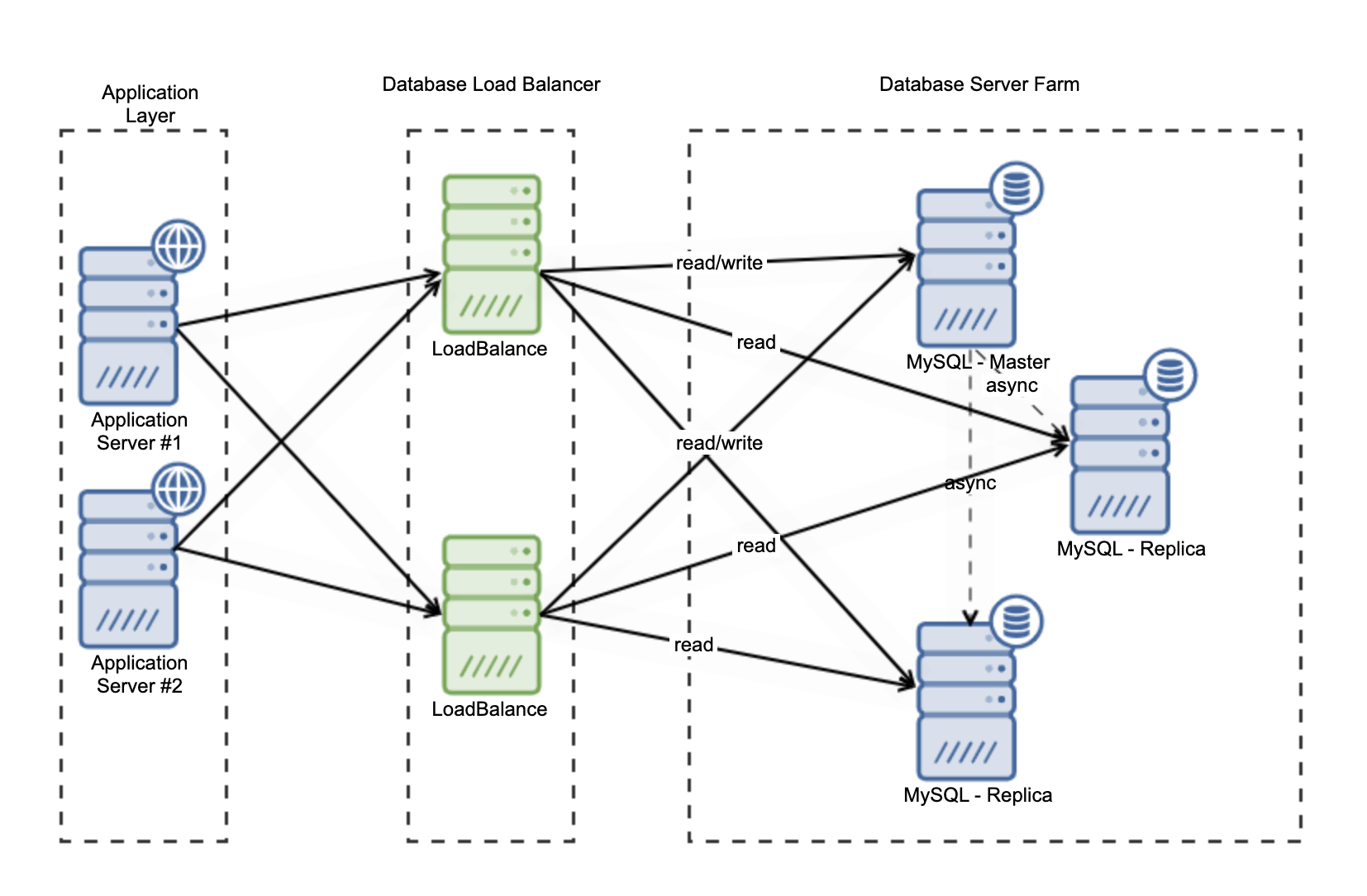
Now let’s move to production systems.
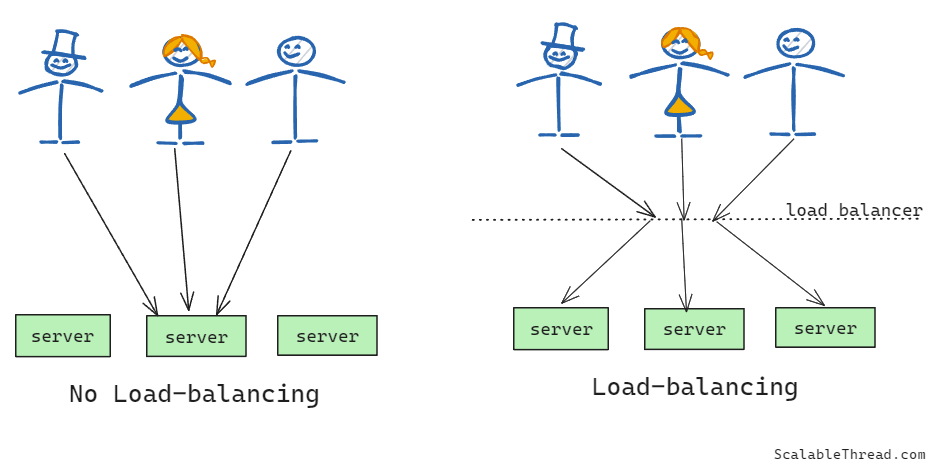
Imagine 10 lakh users visiting your website.
One server cannot handle that much traffic.
That’s where Load Balancer comes in.
Simple Definition:
A load balancer distributes traffic across multiple servers.
Instead of:
User → One Server
It becomes:
User → Load Balancer → Many Servers
Analogy:
Load balancer is like a toll booth manager.
Cars come in large numbers.
Manager sends them to different lanes.
This:
Prevents overload
Improves performance
Increases availability
How All Devices Work Together (Real-World Setup)
Let’s understand a full example.
Home Network
ISP → Modem → Router (WiFi) → Switch (optional) → Your devices
Company / Web Application Setup
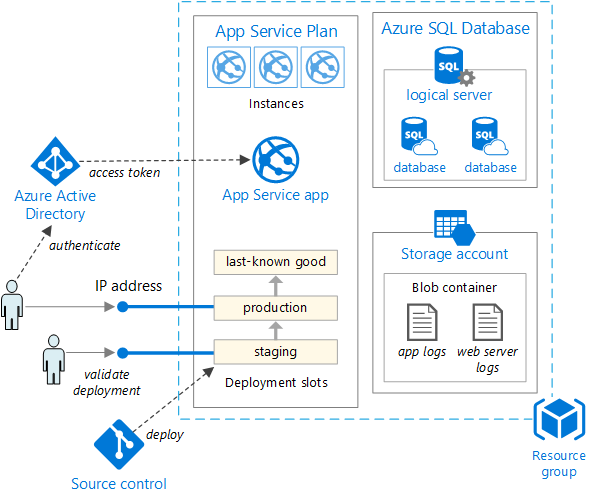
Internet → Firewall → Load Balancer → Application Servers → Database Servers
Flow of a Web Request:
User types website
Request reaches Firewall
Firewall checks security
Load balancer distributes traffic
One server processes request
Database responds
Response goes back to user
Why This Matters for Software Engineers
You might think:
“I just write backend code. Why do I need this?”
Because:
Your API runs behind a load balancer
Your service is protected by firewall rules
Your server sits inside a private network
Your app depends on correct routing
When something fails in production:
It’s often network-related.
Understanding network devices helps you:
Debug better
Design scalable systems
Understand DevOps and cloud
Speak confidently in system design interviews
Network devices are not just hardware boxes with blinking lights.
They are:
Traffic controllers
Security guards
Distributors
Translators
And together, they make the internet work smoothly.
If you’re building backend systems or deploying applications, understanding these devices gives you a big advantage.