Understanding HTML Tags and Elements
If you are just starting with web development, you’ve probably heard the term HTML a lot. But what exactly is HTML, and what do words like “tags” and “elements” mean? Let’s break it down in a way that’s simple and easy to understand.
What is HTML and Why Do We Use It?
Imagine a webpage as a human body. You can see hands, head, and legs — but inside, there is a skeleton that holds it all up.
HTML is like that skeleton for web pages. It gives structure to everything you see on a website — text, headings, pictures, links, and more.
Without HTML, browsers (like Chrome, Firefox, Safari) wouldn’t know what to show or how to show it.
What is an HTML Tag?
Think of a tag as a label you put around something. It tells the browser what something is.
Example:
<p>This is a paragraph.</p>
Here:
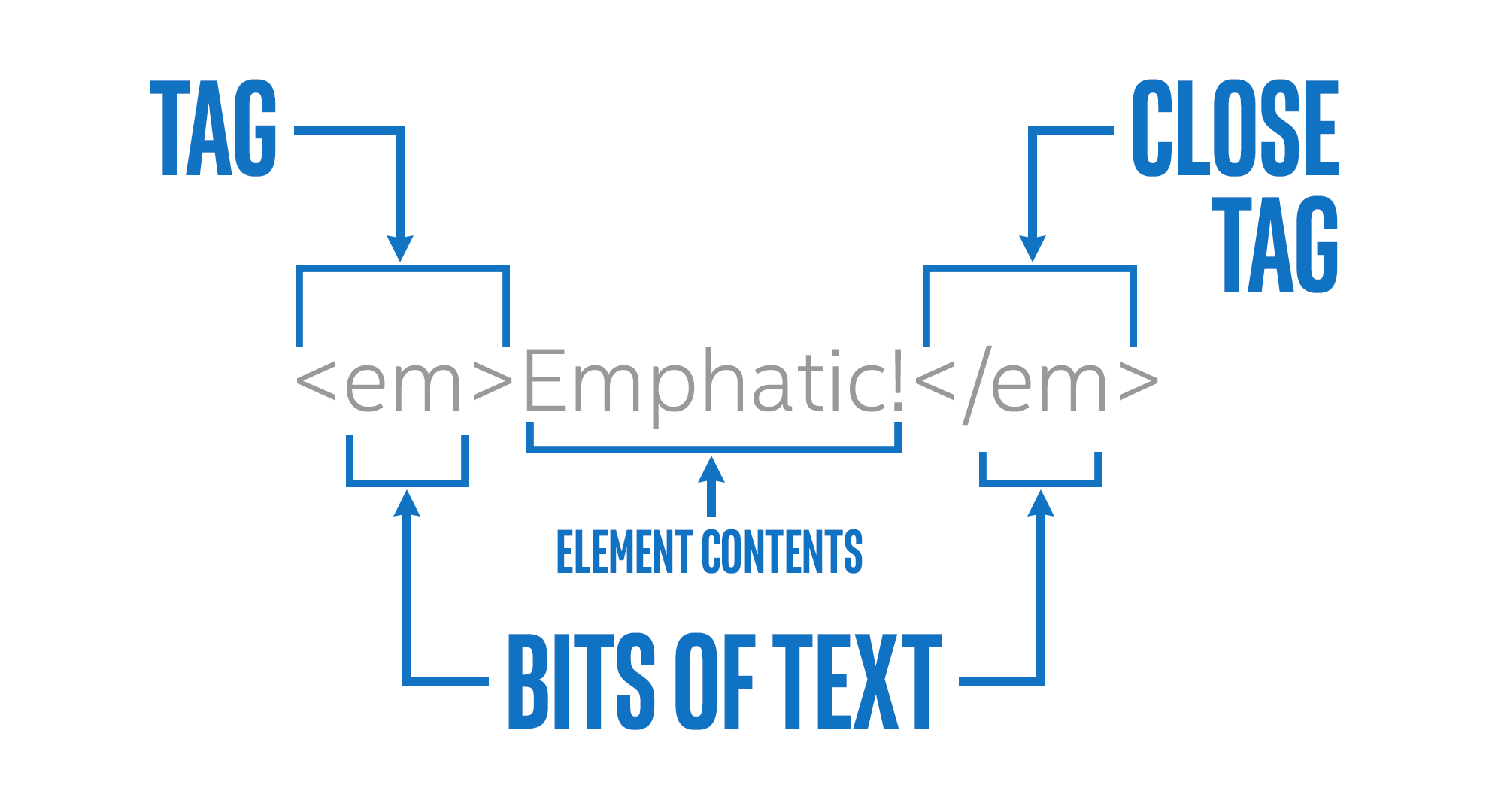
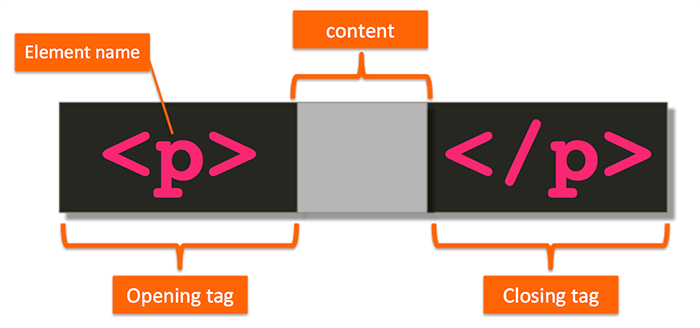
<p>is an opening tag</p>is a closing tagAnd the words “This is a paragraph.” are the content
So a tag marks the start and end of something.
Opening Tag, Closing Tag, and Content
Most HTML tags come in pairs:
<opening> content </closing>
Example:
<h1>Welcome to My Website</h1>
<h1>starts the heading</h1>ends itThe text in the middle is what shows up on the page
The slash (/) in </h1> tells the browser that this tag is closing.
What Is an HTML Element?
An element is everything from the opening tag to the closing tag including the content.
So this whole thing is one element:
<p>Hello!</p>
Elements are the building blocks of HTML pages.
Self-Closing (Void) Elements
Some tags don’t need a closing tag. They just do their job and stop. These are called self-closing or void elements.
Examples:
<img src="image.jpg" alt="Photo">
<br>
<img>shows an image<br>adds a line break
No closing tag is needed.
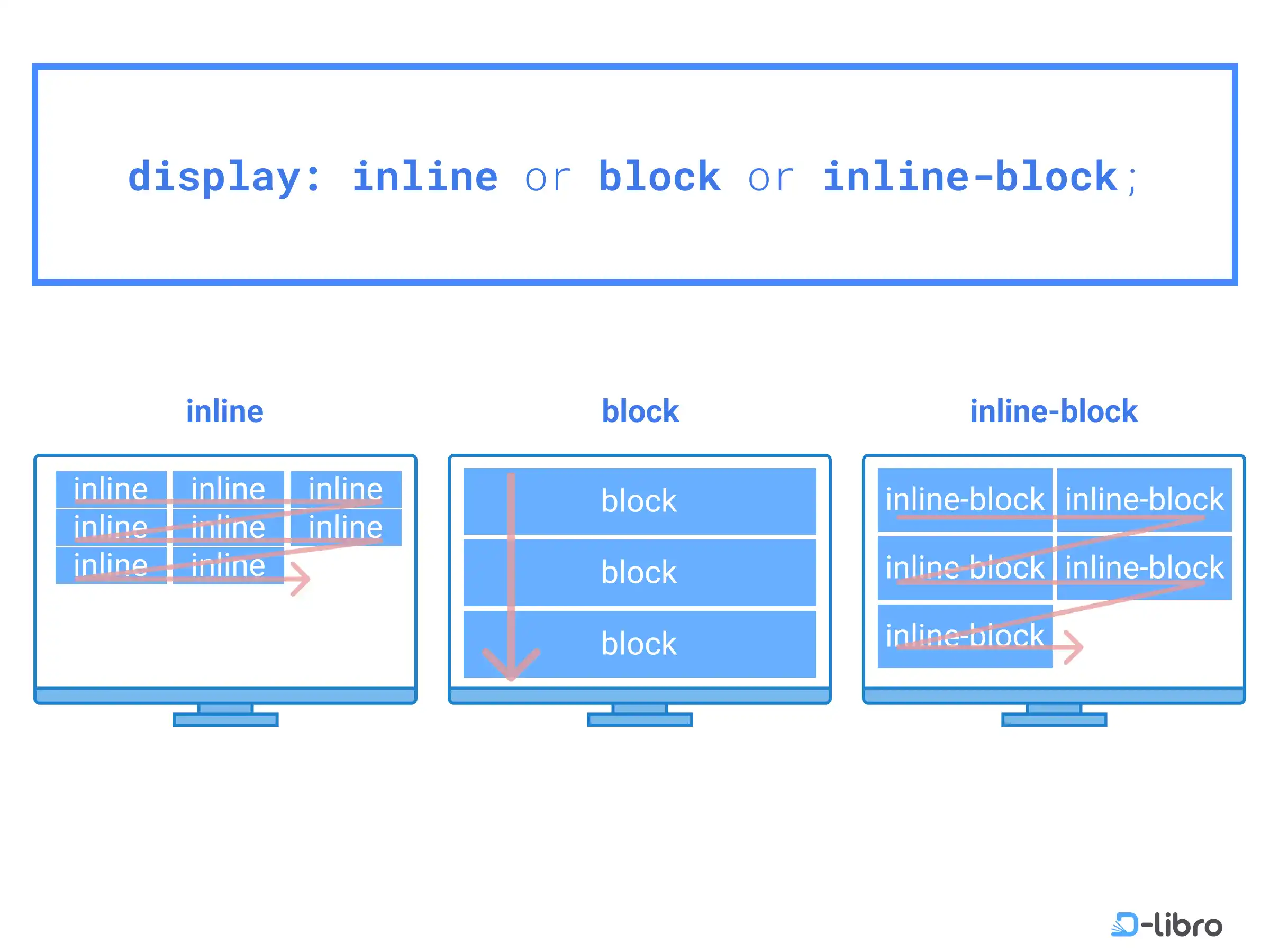
Block-Level vs Inline Elements
HTML elements can be either block-level or inline.
Block-Level Elements
These start on a new line and take up the full width available.
Examples:
<div></div>
<p></p>
<h1></h1>
Inline Elements
These stay within the line of text and only take up as much space as needed.
Examples:
<span></span>
<a></a>
Commonly Used HTML Tags
Here are a few tags you’ll see all the time:
| Tag | Meaning |
<h1> ... </h1> | Big heading |
<p> ... </p> | Paragraph |
<a> ... </a> | Link |
<img> | Image |
<div> | Section or box |
<span> | Inline box |
<ul>, <li> | List items |
Diagram Ideas
Here are a few tags you’ll see all the time:
- HTML Tag vs HTML Element Breakdown
Block vs Inline Element Layout