CSS Selectors 101: Targeting Elements with Precision
When you write HTML, you create structure:
Headings
Paragraphs
Buttons
Images
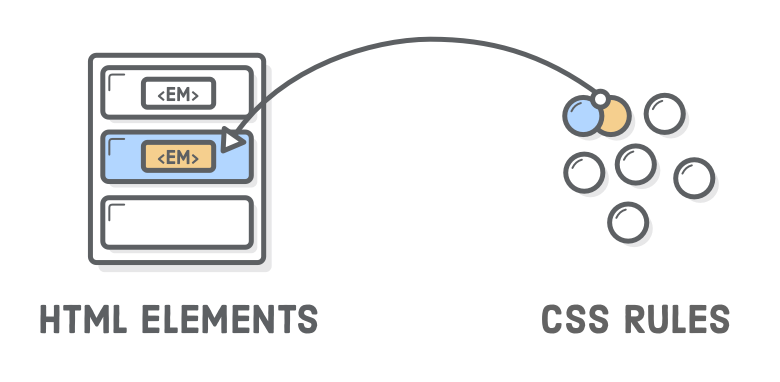
But how does CSS know which element to style?
That’s where CSS selectors come in.
Why CSS Selectors Are Needed
CSS selectors are needed because they tell the browser exactly which elements to style and how. When we write HTML, we create many elements:
Headings, Paragraphs, Buttons, Images, Links
But CSS does not automatically know:
Which paragraph to color
Which button to style
Which heading to make bigger
That’s why CSS selectors are needed.
Selectors are the way we choose specific HTML elements and tell the browser:
“Apply this style to these elements only.”
Imagine Life Without Selectors
Suppose your webpage has:
20 paragraphs
5 buttons
3 headings
If CSS had no selectors, it would either:
Style everything the same way
ORNot know what to style at all
That would make designing websites impossible.
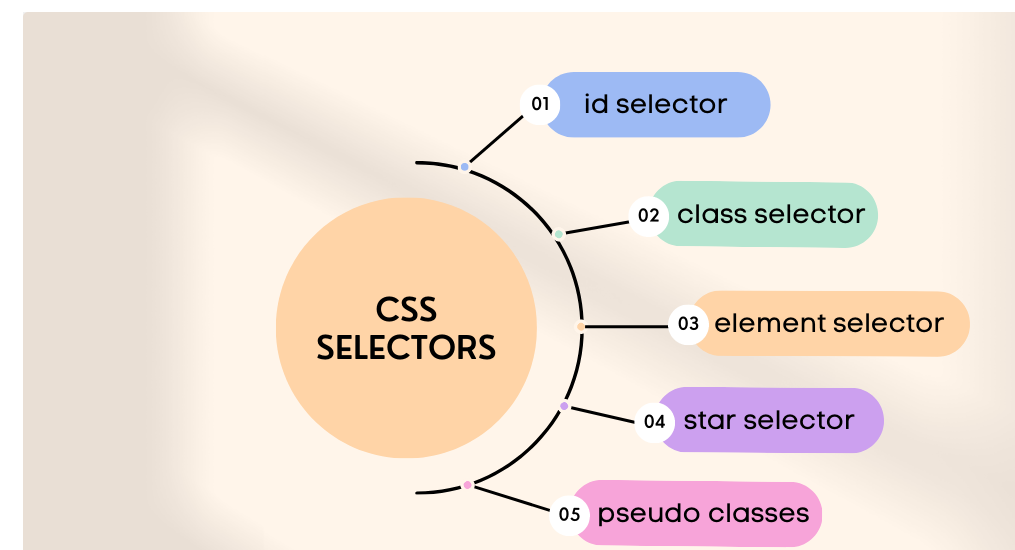
Element Selector
The simplest selector.
It selects elements by their HTML tag name.
Example
<p>This is a paragraph</p>
<p>This is another paragraph</p>
p {
  color: blue;
}
✅ All <p> elements become blue.
Think of it like:
“All students stand up.”
It targets everyone of that type.
Class Selector
A class selector targets elements with a specific class.
Class is reusable.
Example
<p class="highlight">Important text</p>
<p>Normal text</p>
.highlight {
  color: red;
}
Only the element with class highlight turns red.
Analogy:
“All students wearing blue shirts stand up.”
You are selecting a group with something in common.
Classes:
Start with
.Can be reused on many elements
ID Selector
An ID selector targets one unique element.
IDs should be used only once per page.
Example
<h1 id="main-title">Welcome</h1>
#main-title {
  color: green;
}
Only this specific heading turns green.
Analogy:
“Rahul, stand up.”
You are calling one specific person.
IDs:
Start with
#Must be unique
Selector Targeting Flow
Think of it like narrowing down:
Element → Many
Class → Some
ID → One
Group Selectors
You can style multiple selectors together.
Example
h1, h2, p {
  font-family: Arial;
}
Now:
All
h1All
h2All
p
Use the same font.
This saves repetition.
Descendant Selectors
This selects elements inside other elements.
Example
<div class="card">
  <p>Inside card</p>
</div>

<p>Outside card</p>
.card p {
  color: purple;
}
Only the paragraph inside .card becomes purple.
Analogy:
“Students in Section A, stand up.”
You are selecting people inside a specific group.
Class vs ID Usage

Basic Selector Priority (Very High Level)
Sometimes multiple selectors target the same element.
Which one wins?
Very simple rule (for now):
ID > Class > Element
Example:
p {
  color: blue;
}

.highlight {
  color: red;
}

#special {
  color: green;
}
If a paragraph has:
<p id="special" class="highlight">Hello</p>
It will be green.
Because ID has higher priority.
No need to go deeper yet — just remember this order.
Before and After Example
Before CSS
<h1>Title</h1>
<p class="highlight">Important</p>
<p>Normal text</p>
Looks plain.
After CSS
h1 {
  color: navy;
}

.highlight {
  font-weight: bold;
  color: red;
}
Now:
Title is navy
Important text is bold red
Normal paragraph stays default
Selectors make this possible.
Why Selectors Are the Foundation of CSS
Every CSS rule starts with a selector.
Without selectors:
You can’t target elements
You can’t control styling
You can’t build proper layouts
Understanding selectors = Understanding CSS.
Everything else (flexbox, grid, animations) depends on this.